Icon Time Clock RFID Key Fob!
Unfortunately, they do not come with the colorful logo. They should listen to the resellers. Agree, or disagree?
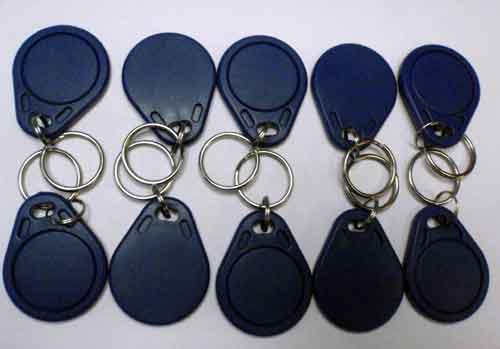
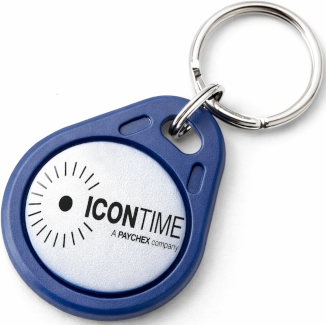
Icon & CompuTime RFID Key Fob
RFID key fob alternative to standard proximity cards for Icon and CompuTime time clocks.
Description
The Icon and CompuTime RFID key fob is an alternative to standard proximity badge cards for compatible proximity time clocks. Instead of carrying a flat card, employees use a compact key fob that attaches directly to a key ring.
Using a key fob makes it much harder for employees to share credentials. Unlike proximity cards, which can be easily handed to a coworker who is running late or leaving early, a key fob stays with the employee’s keys. This helps reduce buddy punching and improves accountability.
Each key fob is built for daily workplace use and is backed by a lifetime product replacement guarantee from EmployeeTimeClocks.com.
Compatible Time Clock Systems
- Icon proximity time clocks
- Icon SB100
- Icon RTC1000
- Icon TotalPass
- Icon TotalPass Biometric
- Compumatic CTR20-20
- Compumatic / CompuTime XLS21
Why Choose a Key Fob?
| Feature |
Benefit |
| Attaches to keys |
Less likely to be forgotten or shared |
| RFID proximity technology |
Fast, contactless clock-in and clock-out |
| Harder to lend |
Helps reduce buddy punching |
| Lifetime replacement guarantee |
Long-term value and reliability |
Typical Uses
- Employee time and attendance tracking
- Facilities concerned with buddy punching
- High-turnover or multi-shift workplaces
- Industrial and commercial environments
Important Notes
These RFID key fobs are designed for use only with compatible Icon and CompuTime proximity systems listed above. They are not interchangeable with other brands or non-RFID time clocks.
How to Activate an ICON RFID Badge or RFID KeyFob
.... you might want to print this page ...
There is an easy way to check if the keyfobs and badges work: Just present them to the clock. A "good" one will beep and say "Badge Not Assigned." That indicates it is being read - the badge works. It is just not assigned to anyone.
Step-by-step procedure to assign a badge/KeyFob:
First, they must be installed in the clock via the software.
Print or write out a list of the employee ID numbers and names.
You will need to enter the employee clock ID NUMBER.
.
At the clock: Press the lock button and enter your management access code (00 00 00 00 or whatever you have changed it to). If you have lost the number, use 09 06 66
Press the down arrow 4 times, see "Assign Badges" Press the ENTER button on the left.
See "Enter Emp PIN". Type in the full employee clock PIN
See Wave Badge on the display. Present the KeyFob. They work within 3/4 of an inch, anywhere above the keypad. The best area is the center of the keypad.
**** We just tell people to touch them to the clock so that they don't wave them 36" away.
Follow the prompts. Enter the next employee's number. It takes about 4 seconds to cycle through to the next one (the delay).
When done, just hit Clear a couple times, or walk away. The clock automatically exits Management Mode in about 30 to 60 seconds.
To speed up employee operation, they can present the keyfob, then press Enter. This forces the machine to accept the punch faster.
If your machine is requiring them to press IN or OUT each time, you can change that setting to 'Punch-And-Go' at your desktop, in Punch Settings, or Setup.