|
|
 |

TimePilot Vetro: Versitile Office and Remote Time Clock System
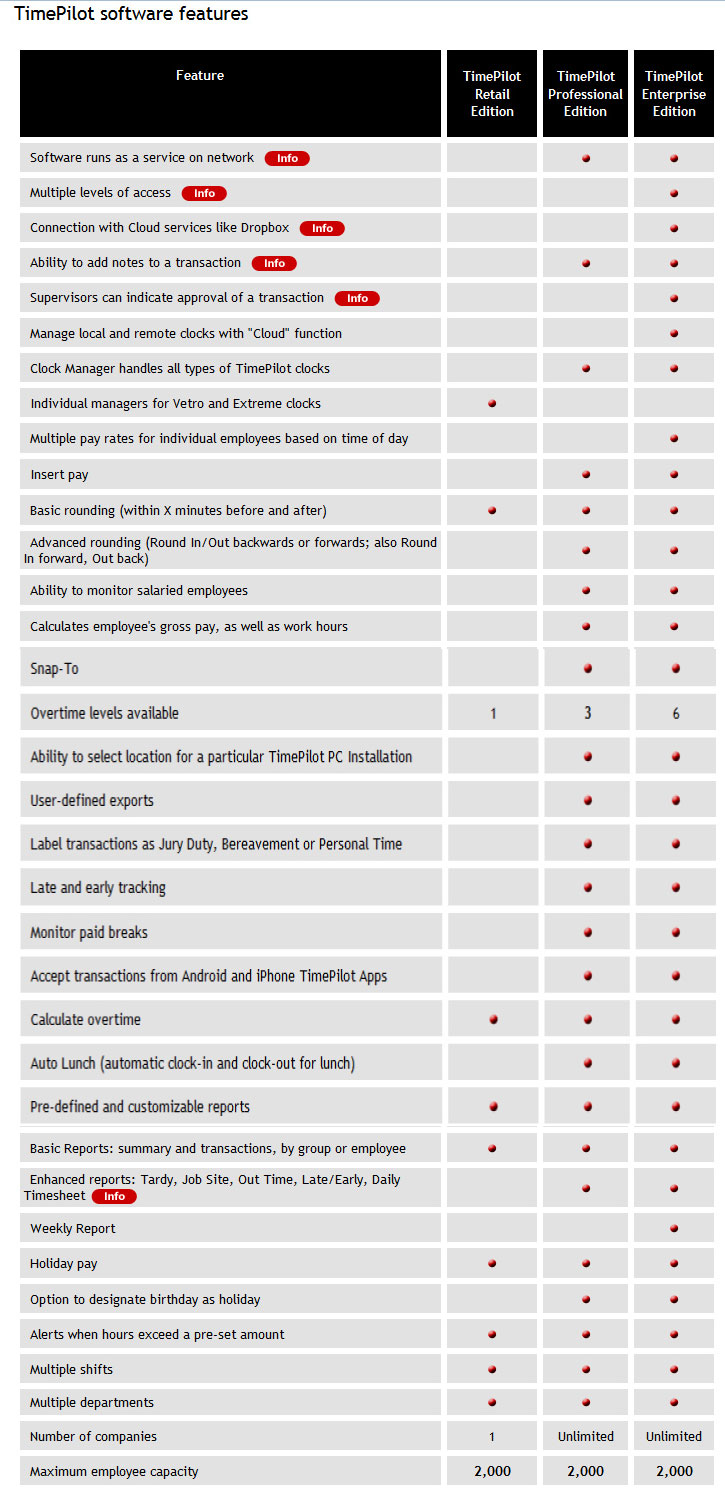
TimePilot Vetro comes with the TimePilot Retail software.
You can easily upgrade it to Enterprise, see the Software Comparison and INFO tabs, above.
TimePilot Vetro Time Clock System
Wall-mounted time clock system with iButton, keypad entry, and flexible data collection.
Description
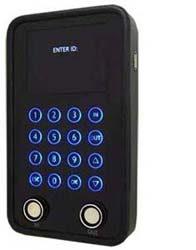
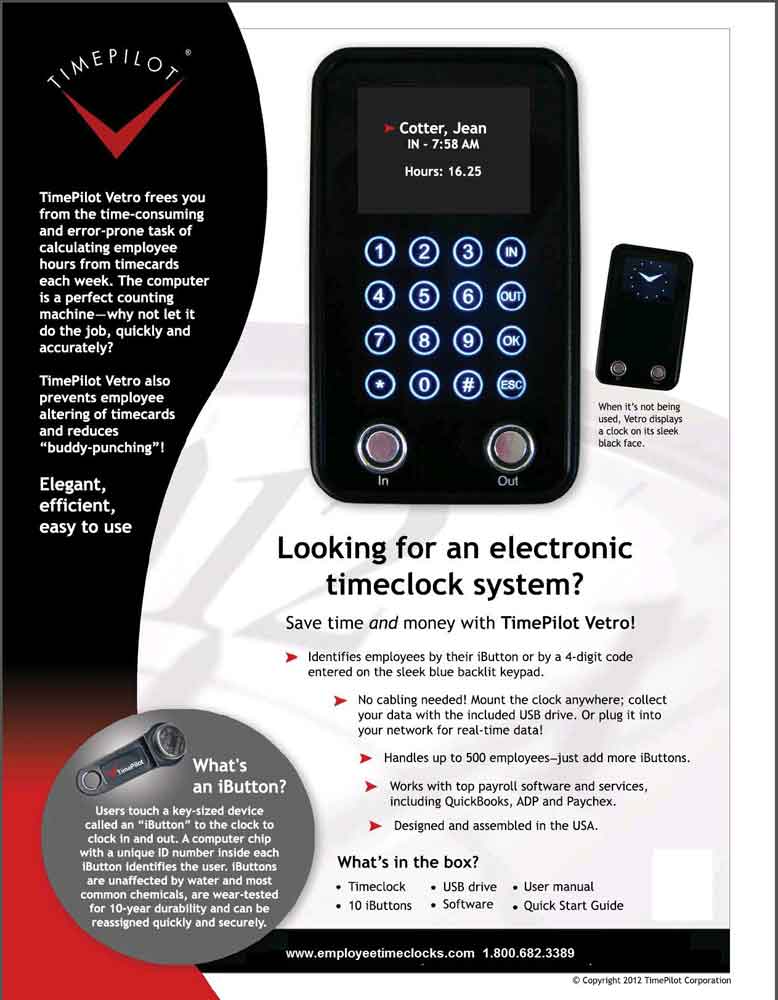
The TimePilot Vetro is a wall-mounted electronic time clock powered by a standard electrical outlet. It supports two employee punch methods, allowing workers to clock IN and OUT using either an iButton or a unique four-digit PIN entered on the keypad.
Employee Punch Options
- Tap an iButton on the IN or OUT probe
- Enter a four-digit ID code and press IN or OUT
Data Collection Methods
Supervisors can collect punch data in two ways, depending on installation.
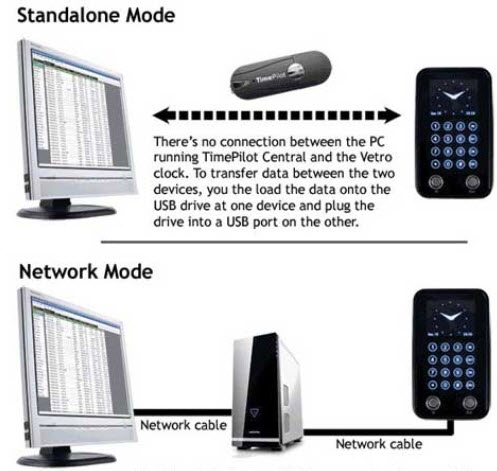
- Standalone Mode: Supervisor inserts a TimePilot USB drive, enters a password, and downloads data (clock stores up to 15,000 transactions)
- Networked Mode: Data is collected automatically over the network and imported into the software
Software Use: Runs on Windows 10 and 11. When 12 comes out, it will run on that.
Once punch records are in the TimePilot software, supervisors can review entries, make corrections, generate reports, and prepare data for payroll processing.
What’s Included
| Clock |
TimePilot Vetro time clock |
| Software |
TimePilot retail software |
| Credentials |
10 iButtons |
| Data Transfer |
USB drive |
| Accessories |
Power supply, owner’s manual, quick start guide |
The TimePilot Vetro clock is attached to a wall and powered by an electrical outlet.
Employees can can punch IN and OUT by either of two ways:
- By tapping their iButton to the "IN" or "OUT" probes at the bottom of the clock
- or by entering a unique four-digit ID code and pressing the IN or OUT button on the clock's keypad.
There are also two ways for supervisors to collect the punch data:
- If you're using the system in "Standalone Mode" (not cabled to your network), the supervisor plugs their TimePilot USB drive in to the port on right side of the clock, enters their password and instructs the clock to transfer (download) its data to the USB Drive. Once complete, they plug the USB drive in to their computer, where it's imported into the TimePilot software. The clock's memory can hold 15,000 transactions.
- If you've cabled the system to your network, the data is collected automatically and imported in to the TimePilot software.
Once your punch records are in the TimePilot software, supervisors can review the records, make any corrections necessary, generate reports, and prepare it for payroll.
Complete package includes one TimePilot Vetro Clock, Retail Software, 10 iButtons, USB drive, power supply, owners manual and Quick Start Guide.
Available TimePilot exports:
QuickBooks Peachtree
ADP ADP TimeSaver
Paychex Preview PayChoice
Excel
Paylocity ComputerEase
Paycor SAP-Thrive
Evolution PaytimeSage 50 .CSV
TiimePilot Vetro comes with the TimePilot Retail Edition.
You can upgrade to Enterprise for just $149.00! ^Click on our "INFO" tab for the links, above.^
Runs on Windows 7, Windows 8, and Windows 10
Enterprise INFORMATION links: (all screens open in .pdf and .jpg formats)
Enterprise is the available upgrade.
TimePilot Pro and Enterprise Software as a Service on a network
Multiple levels of access - Managers, Supervisors, Administrators:
INFO.pdf INFO.jpg
Connection with Cloud services like Dropbox (and Dropbox link):
INFO.pdf INFO.jpg
Supervisors can indicate approval of a transaction:
INFO.pdf INFO.jpg
Enhanced reports:
Tardy, Job Site, Out Time, Late/Early, Daily Timesheet:
INFO.pdf INFO.jpg