TimePilot Setup and Job Code Configuration
ExakTime Time Tracking Job Clock Replacements
We sell replacements! If your company has under 150 employees, this may be a better fit:
No monthly fees, no per user fee. No annual fees.*
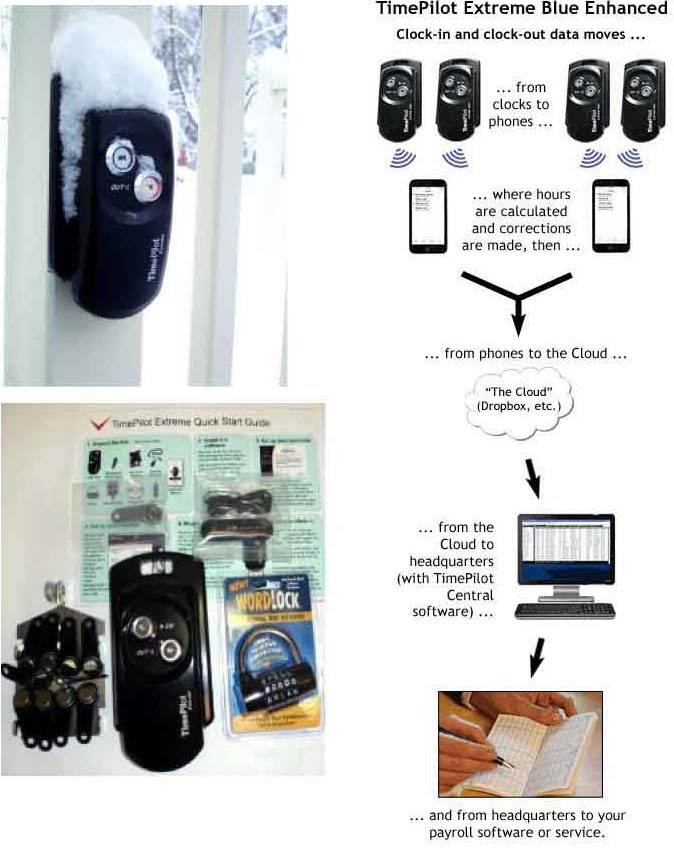
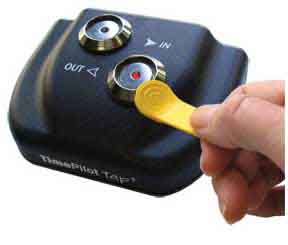
Reads iButton keyfobs, uses portable TAP and On-Site TimePilot Extreme II BlueTooth terminals.
Click on the images below to see complete product information.
TimePilot Job Code Setup Guide
Initial System Configuration
TimePilot time tracking software captures employee time by project or task using structured job codes. Proper setup ensures accurate payroll processing, labor cost allocation, and defensible time records.
- Install required hardware or deploy mobile applications.
- Verify device connectivity and data synchronization.
- Create defined project categories with unique job codes.
- Use concise descriptions to prevent miscoding.
| Element |
Purpose |
| Unique Job Code |
Separates labor by project |
| Clear Description |
Reduces entry errors |
| Default Assignments |
Improves workflow control |
Assignment and Ongoing Review
- Assign job codes to employees or departments.
- Require job selection at clock-in or task change.
- Train employees on proper code selection.
- Review reports regularly to verify labor distribution.
Routine reporting supports payroll accuracy, billing precision, and labor compliance oversight. TimePilot also allows expense tracking, custom reporting, and accounting integration to strengthen operational control.
For configuration-specific questions, consult official TimePilot documentation or the manufacturer’s U.S.-based software support team.